
App and Software User Feedback Submission Form
What is the App and Software User Feedback Submission Form? The App and Software User Feedback Submission Form is a comprehensive Google Forms template de…
What is the App and Software User Feedback Submission Form?
The App and Software User Feedback Submission Form is a comprehensive Google Forms template designed to systematically collect valuable insights from users regarding their experience with mobile applications and software products. This free form template serves as a vital communication bridge between software developers, product managers, and their user base, enabling organizations to gather structured feedback about functionality, usability, performance issues, and overall user satisfaction. By implementing this standardized feedback collection system, companies can make data-driven decisions to enhance their digital products and improve user retention rates.
This professionally crafted form template streamlines the feedback collection process by providing pre-designed questions that cover all essential aspects of user experience evaluation. The form captures both quantitative and qualitative data, allowing organizations to identify patterns in user behavior, discover common pain points, and uncover opportunities for product enhancement. Whether you’re launching a new application, updating existing software, or conducting regular user experience audits, this Google Forms template provides a cost-effective solution for maintaining ongoing dialogue with your user community and ensuring your products meet market expectations.
Who Should Use This Form?
This form template is ideal for software development teams, product managers, UX/UI designers, mobile app developers, SaaS companies, and digital product owners who need to collect systematic user feedback. Independent developers launching their first applications, established tech companies conducting user research, customer success teams monitoring user satisfaction, and quality assurance professionals testing software releases will find this form invaluable. Additionally, marketing teams analyzing user sentiment, startup founders validating product-market fit, and educational institutions developing learning applications can leverage this feedback form to gather actionable insights that drive product improvement and user engagement strategies.
Form Questions & Fields
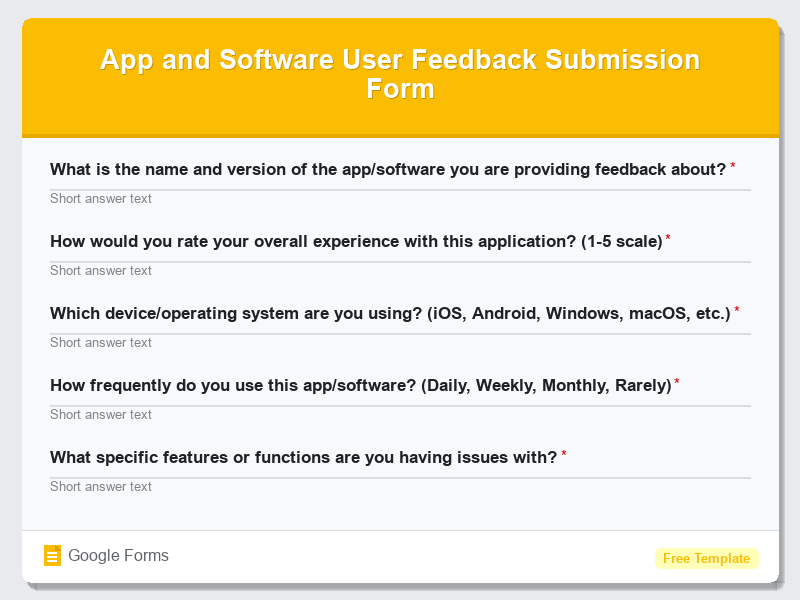
- What is the name and version of the app/software you are providing feedback about?
- How would you rate your overall experience with this application? (1-5 scale)
- Which device/operating system are you using? (iOS, Android, Windows, macOS, etc.)
- How frequently do you use this app/software? (Daily, Weekly, Monthly, Rarely)
- What specific features or functions are you having issues with?
- Please describe any bugs, errors, or technical problems you encountered
- How easy is the app/software to navigate and use? (Very Easy to Very Difficult scale)
- What features would you like to see added or improved in future updates?
- How likely are you to recommend this app/software to others? (Net Promoter Score 0-10)
- Please provide any additional comments or suggestions for improvement
How to Use This Google Form Template
- Access the App and Software User Feedback Submission Form template through Google Forms and click “Use Template” to create your own copy that you can customize according to your specific software product and organizational needs.
- Customize the form fields by editing question text to reflect your app or software’s unique features, adding your company branding, logo, and adjusting response validation settings to ensure you collect high-quality, actionable feedback data.
- Configure form settings including response collection preferences, email notifications for new submissions, and data sharing permissions to ensure the feedback reaches the appropriate team members promptly for timely response and analysis.
- Distribute the form through multiple channels such as in-app notifications, email campaigns, social media posts, website integration, or QR codes to maximize response rates and reach diverse user segments across your entire user base.
- Monitor incoming responses through the Google Forms dashboard, export data to Google Sheets for advanced analysis, and create automated workflows to categorize feedback, assign action items to team members, and track resolution progress for continuous product improvement.
Benefits of Using This Form
This Google Forms template offers numerous advantages including cost-effective feedback collection without requiring expensive survey tools or custom development resources. The standardized format ensures consistent data collection across all user feedback submissions, making it easier to identify trends, prioritize feature requests, and track user satisfaction metrics over time. Real-time response collection through Google Forms enables immediate visibility into user issues, allowing development teams to respond quickly to critical bugs or widespread usability problems. Additionally, the template’s professional appearance and user-friendly interface encourage higher response rates, while automatic data organization in Google Sheets facilitates seamless integration with existing project management workflows and analytics tools for comprehensive user experience optimization.