
Online Marketplace Seller Registration Form
What is the Online Marketplace Seller Registration Form? The Online Marketplace Seller Registration Form is a comprehensive Google Forms template designed…
What is the Online Marketplace Seller Registration Form?
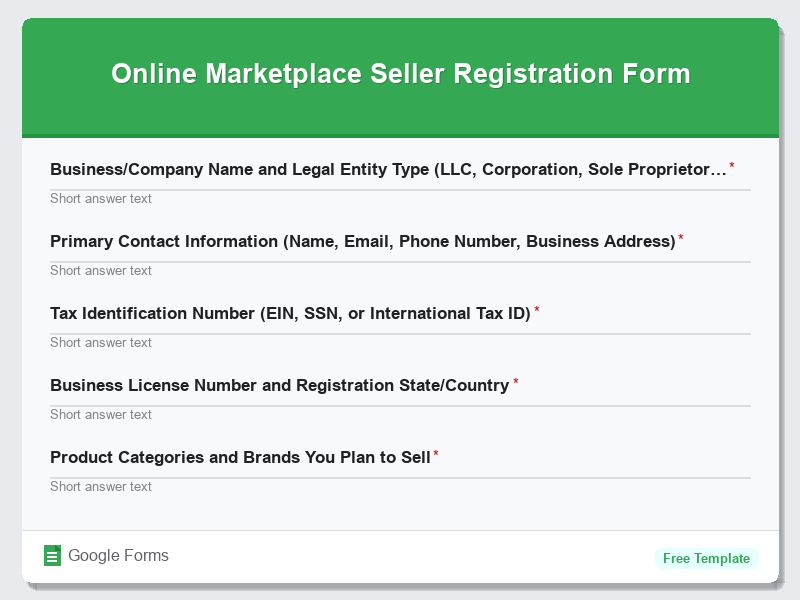
The Online Marketplace Seller Registration Form is a comprehensive Google Forms template designed to streamline the onboarding process for new vendors and sellers on e-commerce platforms. This free form template collects essential business information, verification documents, and seller preferences needed to establish a professional seller account on any online marketplace. The form serves as a crucial gateway between marketplace operators and potential sellers, ensuring all necessary documentation and requirements are met before granting selling privileges.
This E-Commerce Forms template simplifies the traditionally complex seller registration process by organizing all required information into a user-friendly digital format. By utilizing this Google Forms template, marketplace administrators can efficiently process multiple seller applications, maintain consistent data collection standards, and reduce manual paperwork. The form template ensures compliance with marketplace policies while providing sellers with a clear understanding of registration requirements, ultimately accelerating the time-to-market for new vendors looking to expand their online presence.
Who Should Use This Form?
This form template is ideal for e-commerce marketplace owners, platform administrators, and business development managers who need to onboard new sellers efficiently. Online marketplace startups, established e-commerce platforms like Amazon-style marketplaces, B2B wholesale platforms, and niche specialty marketplaces can all benefit from this registration system. Additionally, marketplace consultants, e-commerce agencies managing multiple client platforms, and entrepreneurs launching multi-vendor websites will find this Google Forms template invaluable for standardizing their seller acquisition process and maintaining professional onboarding procedures.
Form Questions & Fields
- Business/Company Name and Legal Entity Type (LLC, Corporation, Sole Proprietorship)
- Primary Contact Information (Name, Email, Phone Number, Business Address)
- Tax Identification Number (EIN, SSN, or International Tax ID)
- Business License Number and Registration State/Country
- Product Categories and Brands You Plan to Sell
- Estimated Monthly Sales Volume and Average Order Value
- Banking Information for Payment Processing (Account Details, Routing Numbers)
- Business Insurance Information and Coverage Amounts
- Warehouse/Fulfillment Location and Shipping Capabilities
- Previous E-commerce Experience and Platform References
How to Use This Google Form Template
- Access the free form template through Google Forms and make a copy to your Google Drive account, then customize the form fields to match your specific marketplace requirements and add your company branding elements such as logos and color schemes.
- Configure form settings including response collection preferences, notification emails, and access permissions to ensure proper data security and workflow integration with your existing seller management systems.
- Share the registration form link through your marketplace website, seller recruitment campaigns, and business development outreach efforts, making it easily accessible to potential sellers through multiple touchpoints.
- Set up automated response confirmations and follow-up email sequences to acknowledge receipt of applications and provide clear next steps in the seller approval process, maintaining professional communication standards.
- Regularly review form submissions through Google Sheets integration, establish approval workflows, and maintain organized records of all seller applications for compliance and business development tracking purposes.
Benefits of Using This Form
This Google Forms template offers significant advantages including streamlined data collection that eliminates manual paperwork and reduces processing time by up to 75% compared to traditional registration methods. The automated organization features ensure consistent information gathering across all seller applications, while real-time submission tracking allows marketplace administrators to respond quickly to high-quality prospects. Additionally, the free form template integrates seamlessly with existing Google Workspace tools, enabling easy data export, automated workflows, and collaborative review processes that scale efficiently as your marketplace grows and attracts more sellers.