
AI Form for Google Docs · iPhone and iPad · Version 2.0
Describe it. The AI writes the form into your Google Drive.
Type a sentence or photograph a paper questionnaire. The app writes the questions, creates the Google Form in your own Drive and gives you a link, a QR code, quizzes with automatic grading and live charts of the answers.
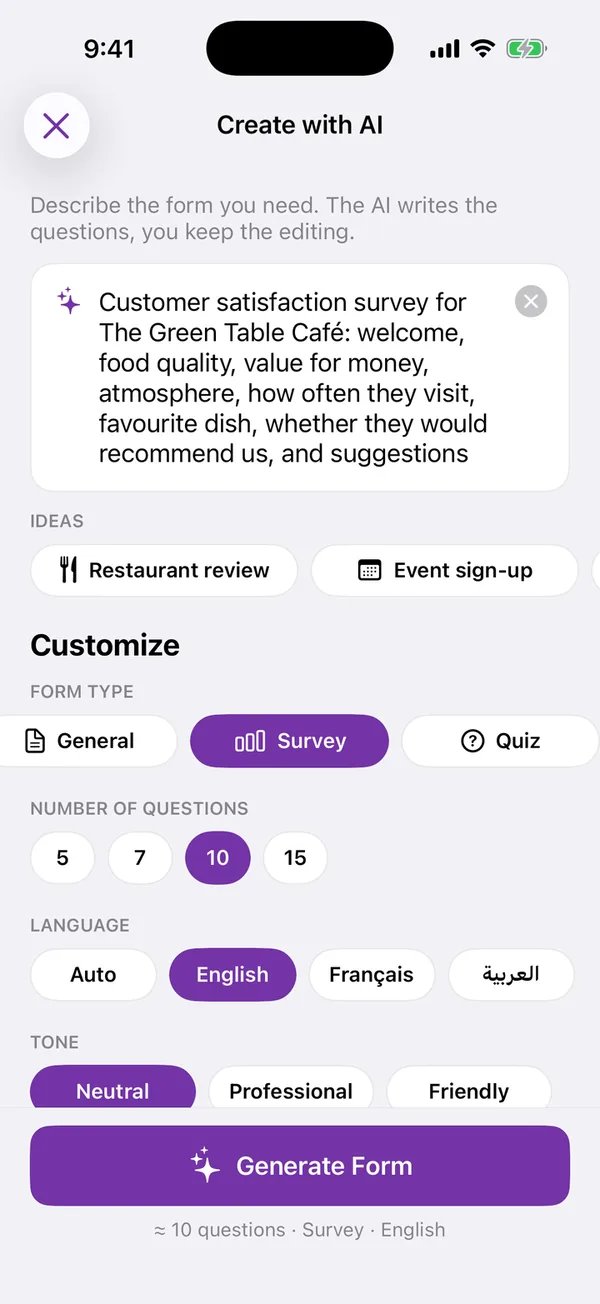
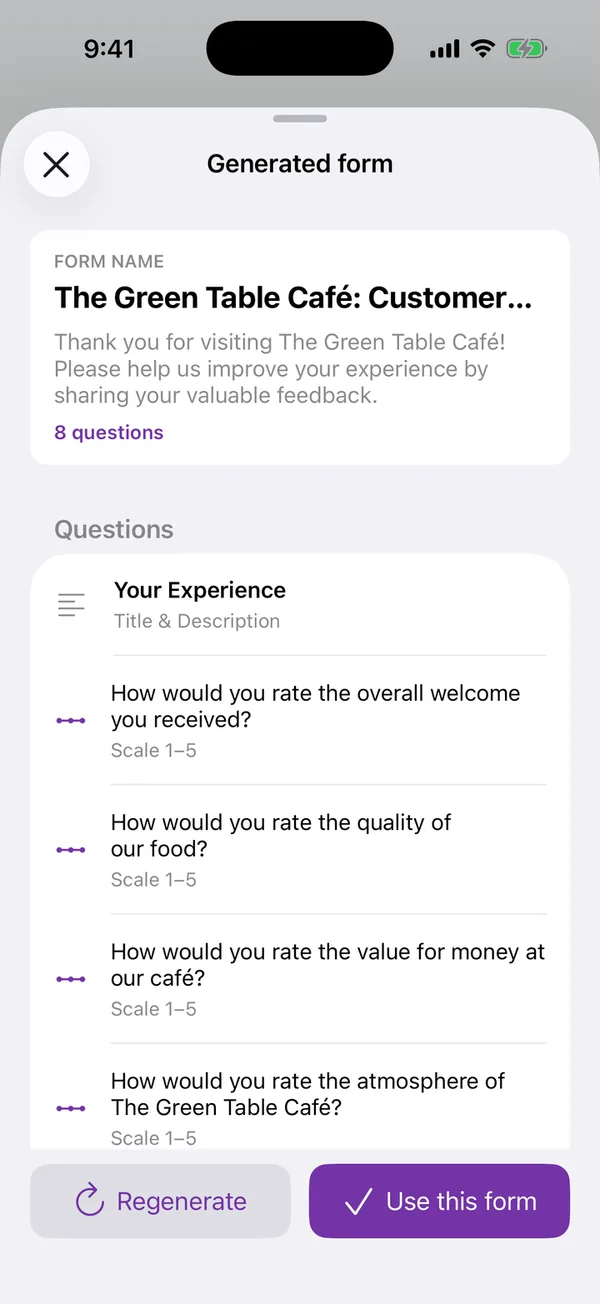
Create with AI
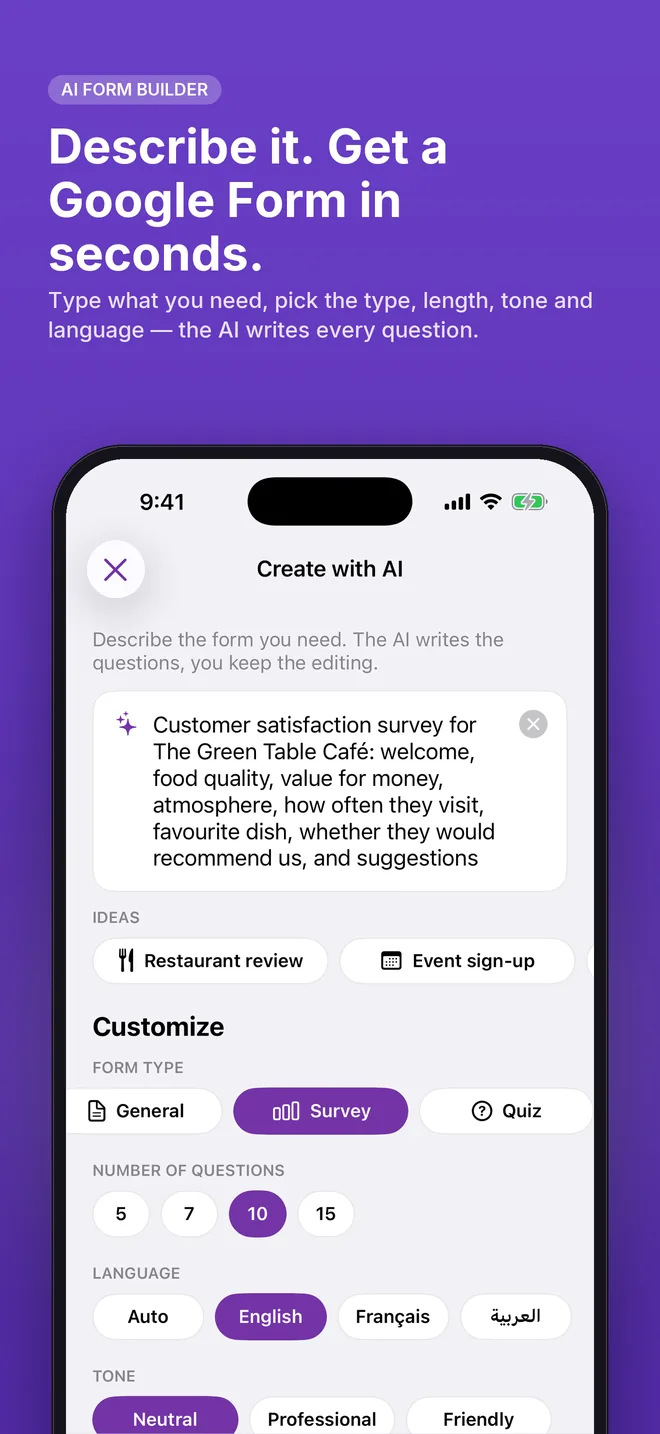
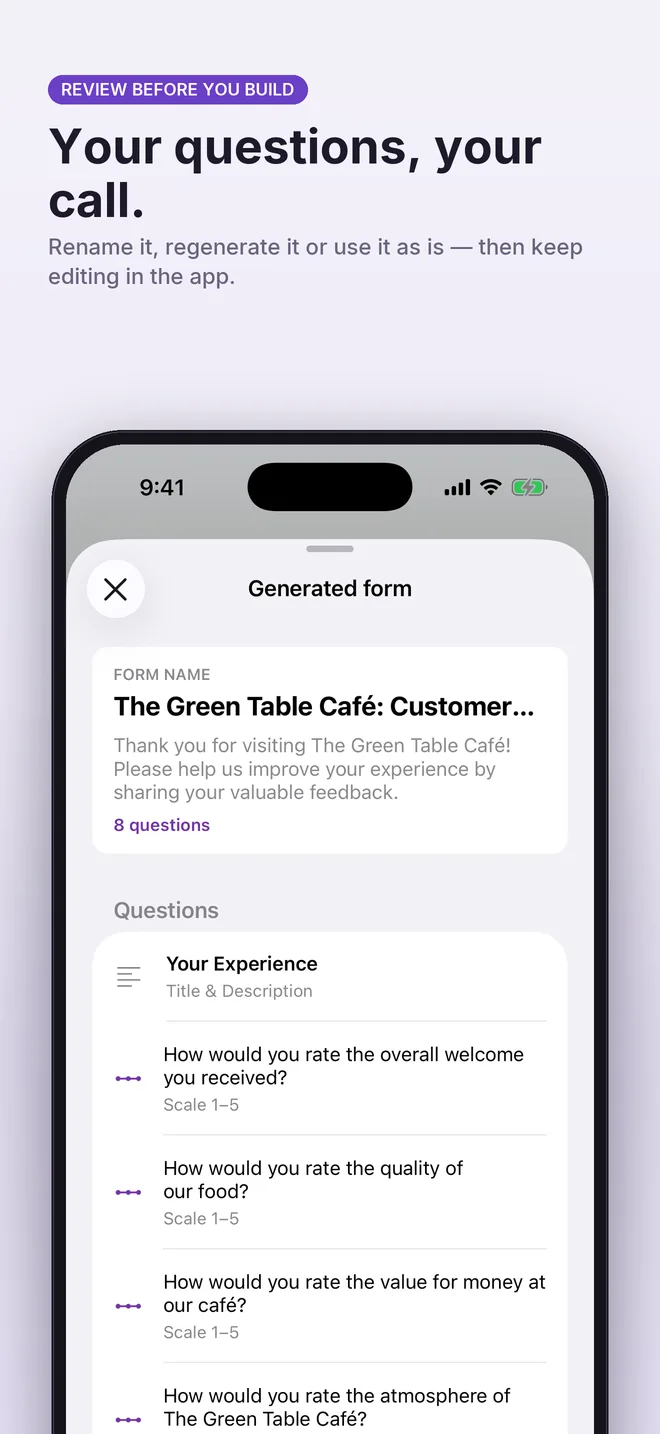
Describe it. The AI writes your form.
Type what you need, pick the type, length, tone and language. Review the generated questions, rename or regenerate, then keep editing in the app.
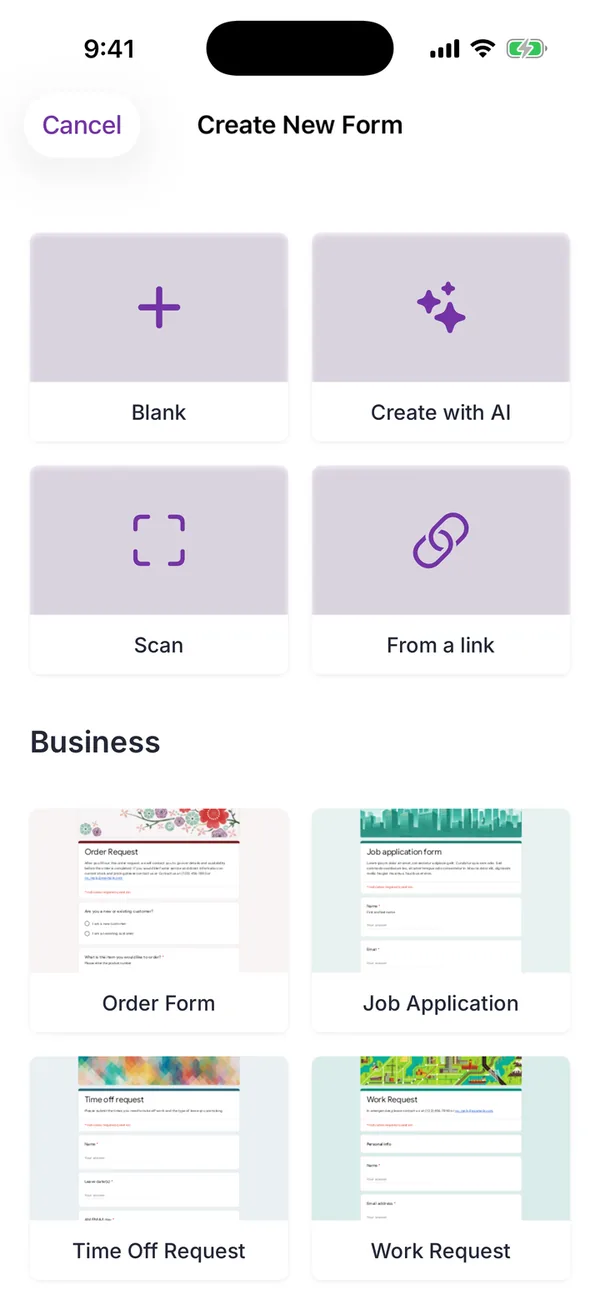
Four ways in
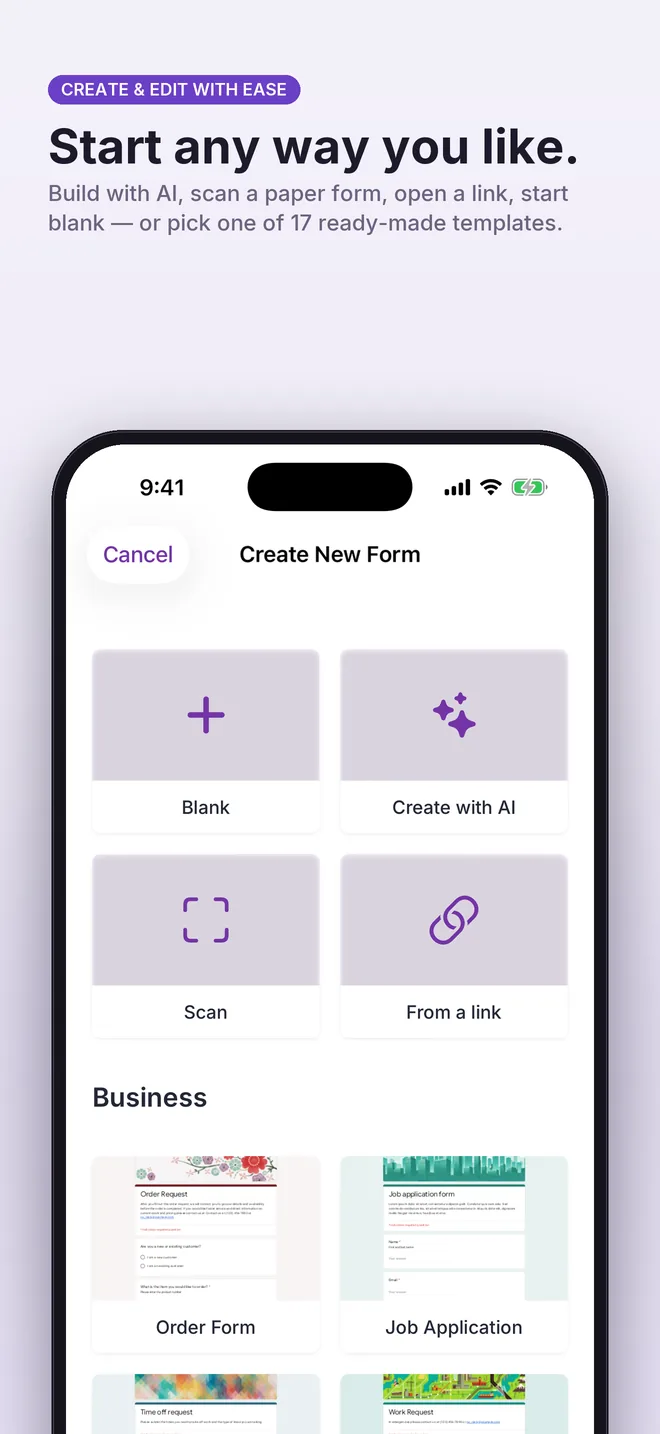
Start any way you like.
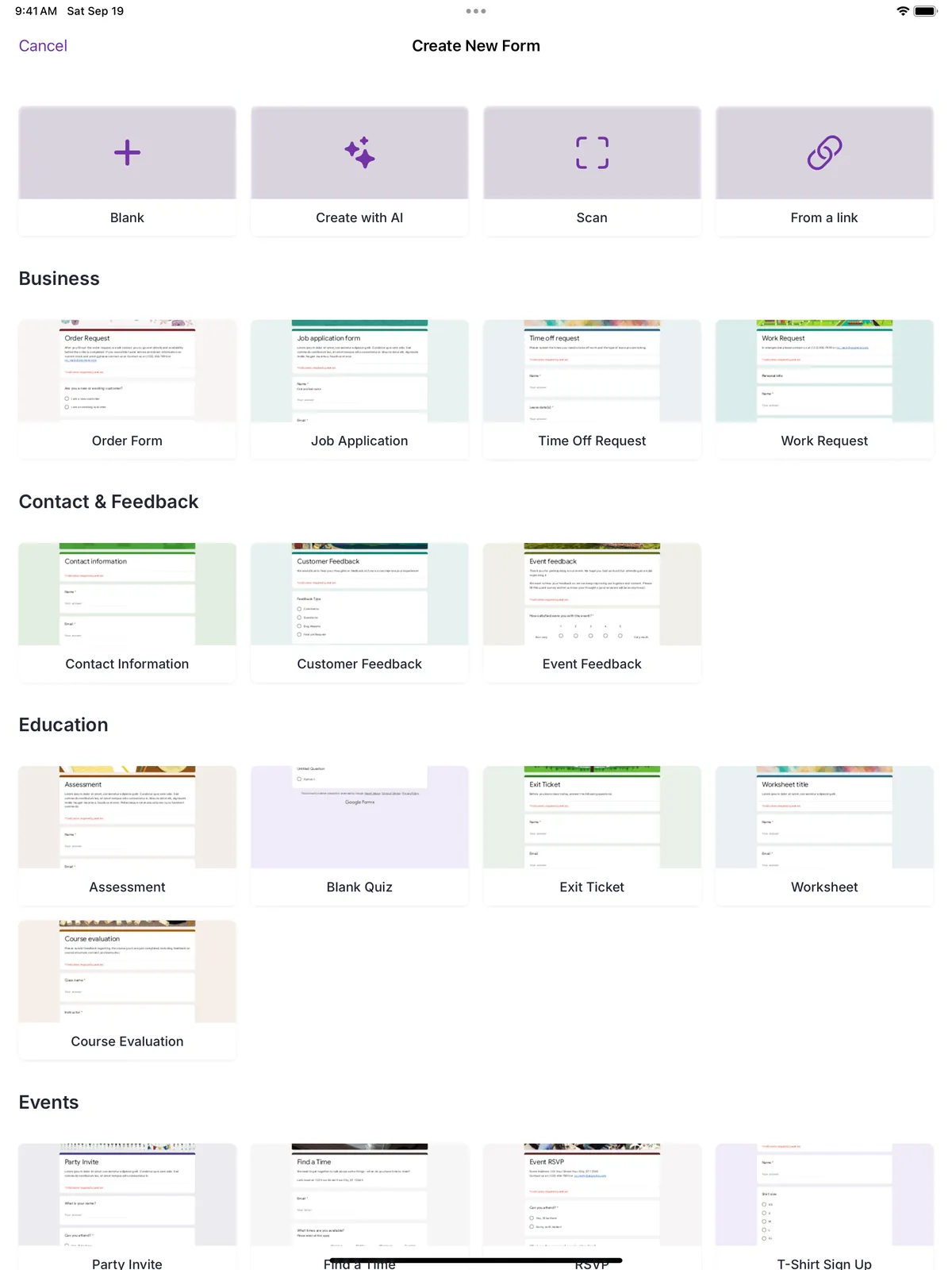
Blank, AI, paper scan, a link to an existing form, or one of 17 templates.
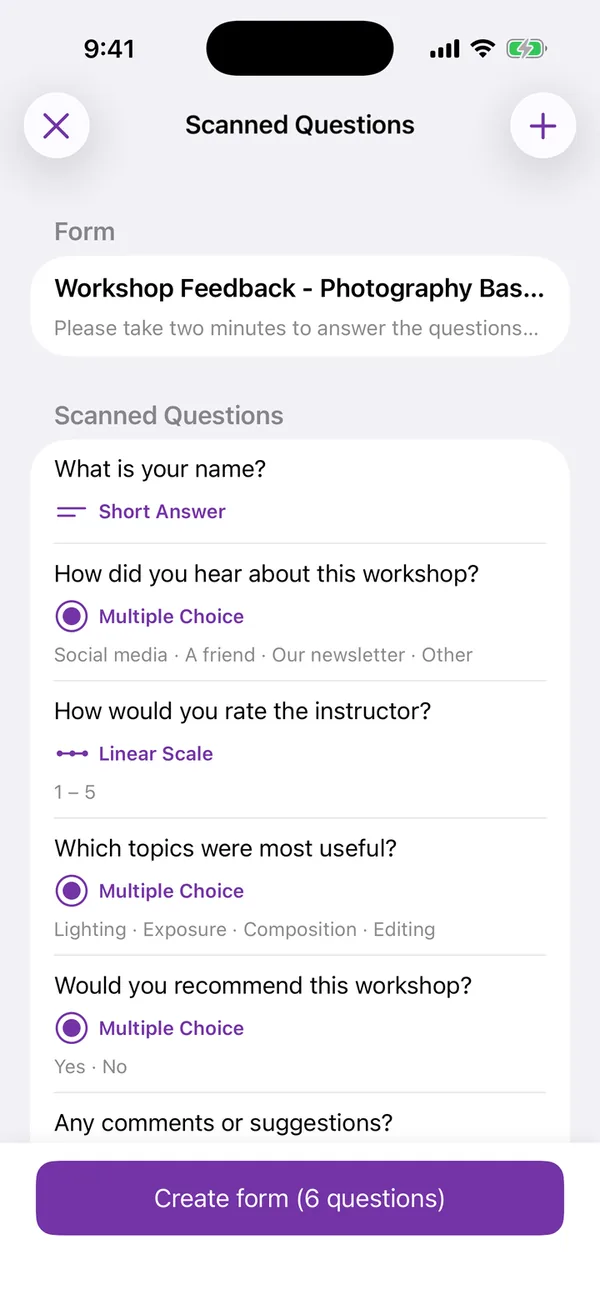
Paper scanner
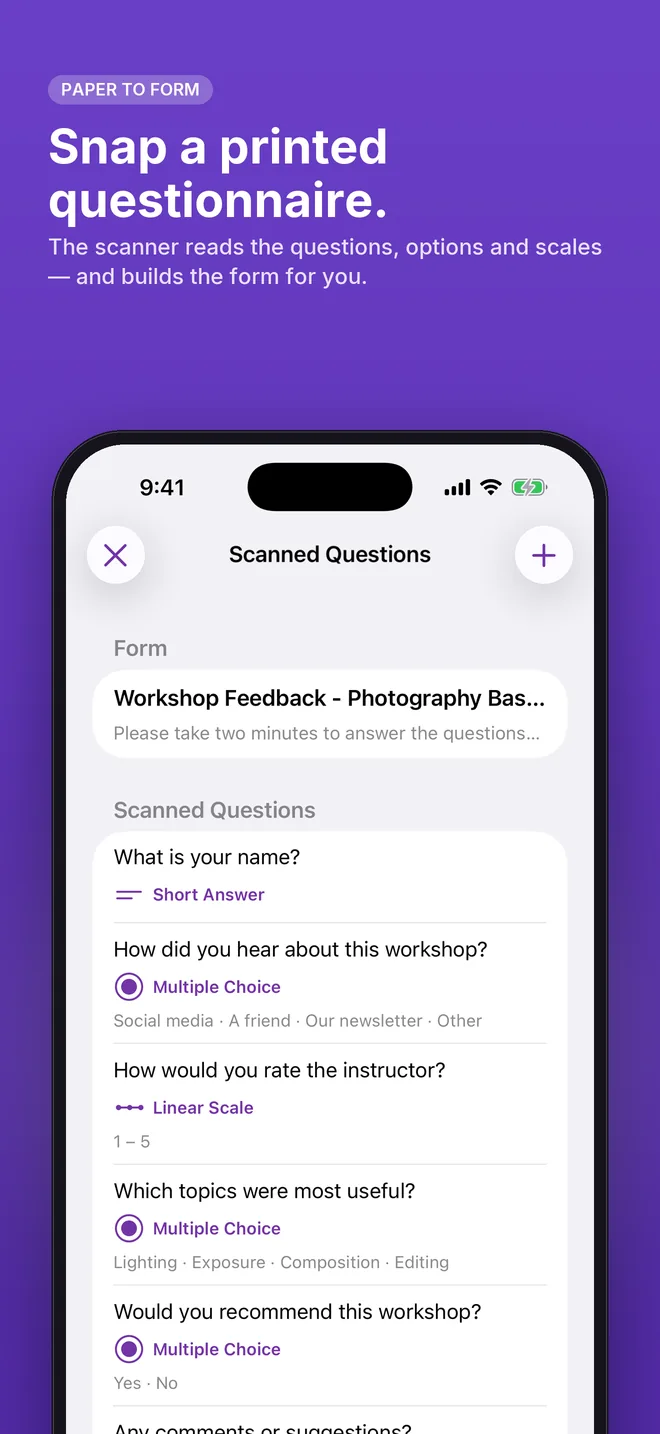
Snap a printed questionnaire.
The scanner reads questions, options, checkboxes and rating scales on your device and builds the form. The photo never leaves the phone.
Editor
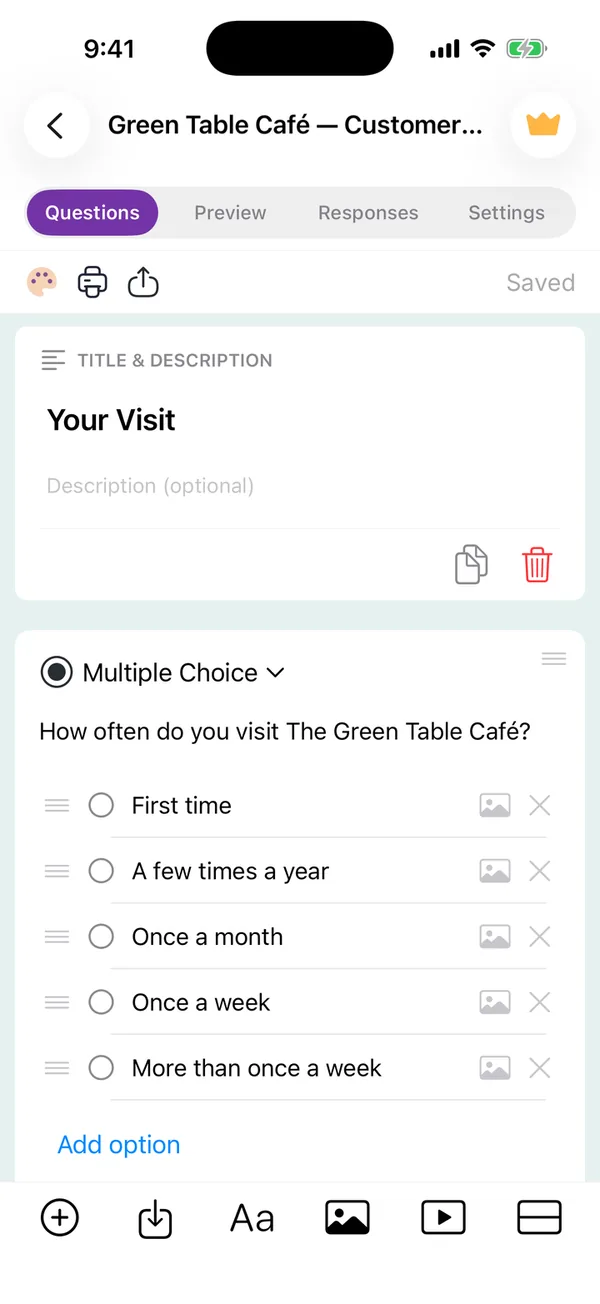
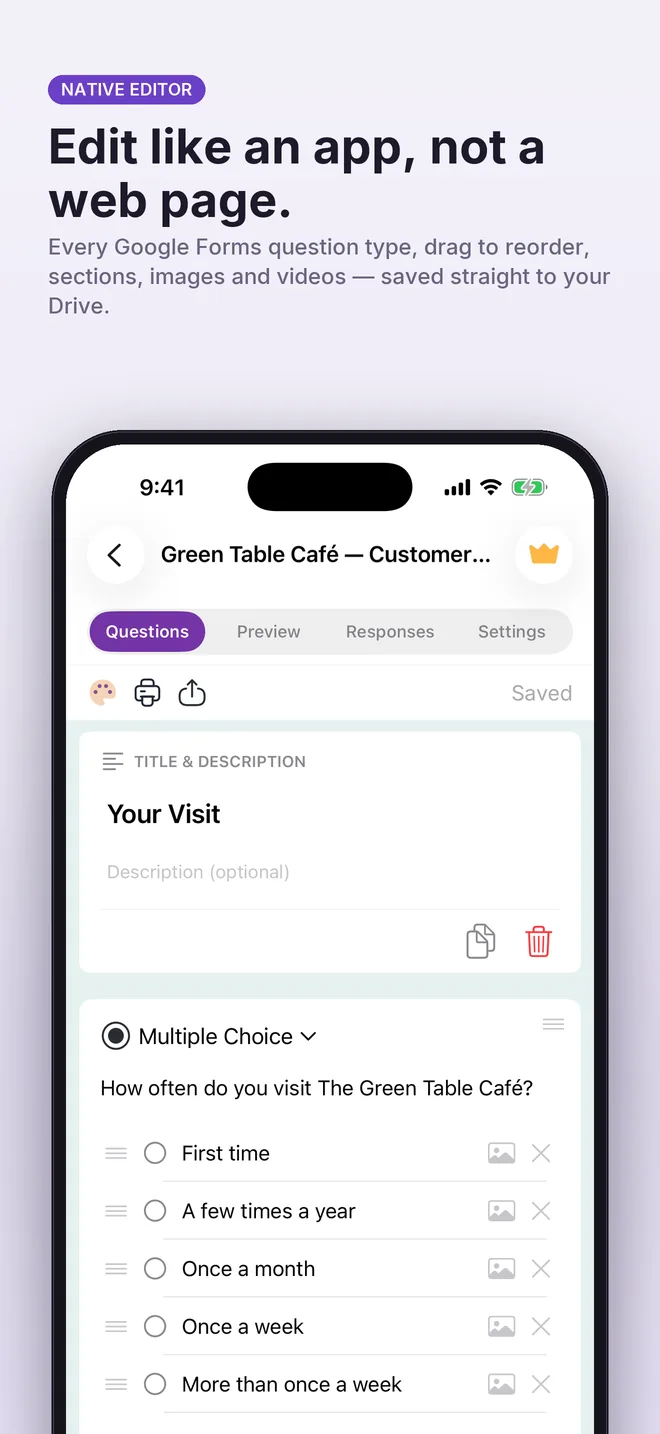
Edit like an app, not a web page.
Every Google Forms question type, images and descriptions on questions and options, sections, drag to reorder, undo after delete.
Quizzes
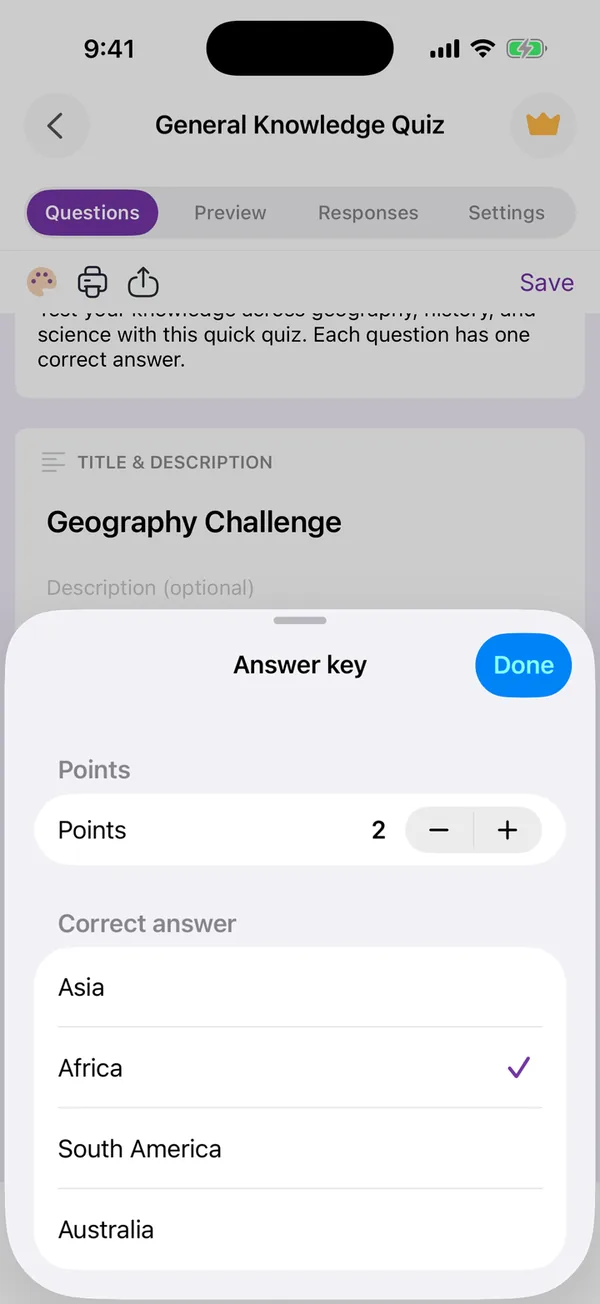
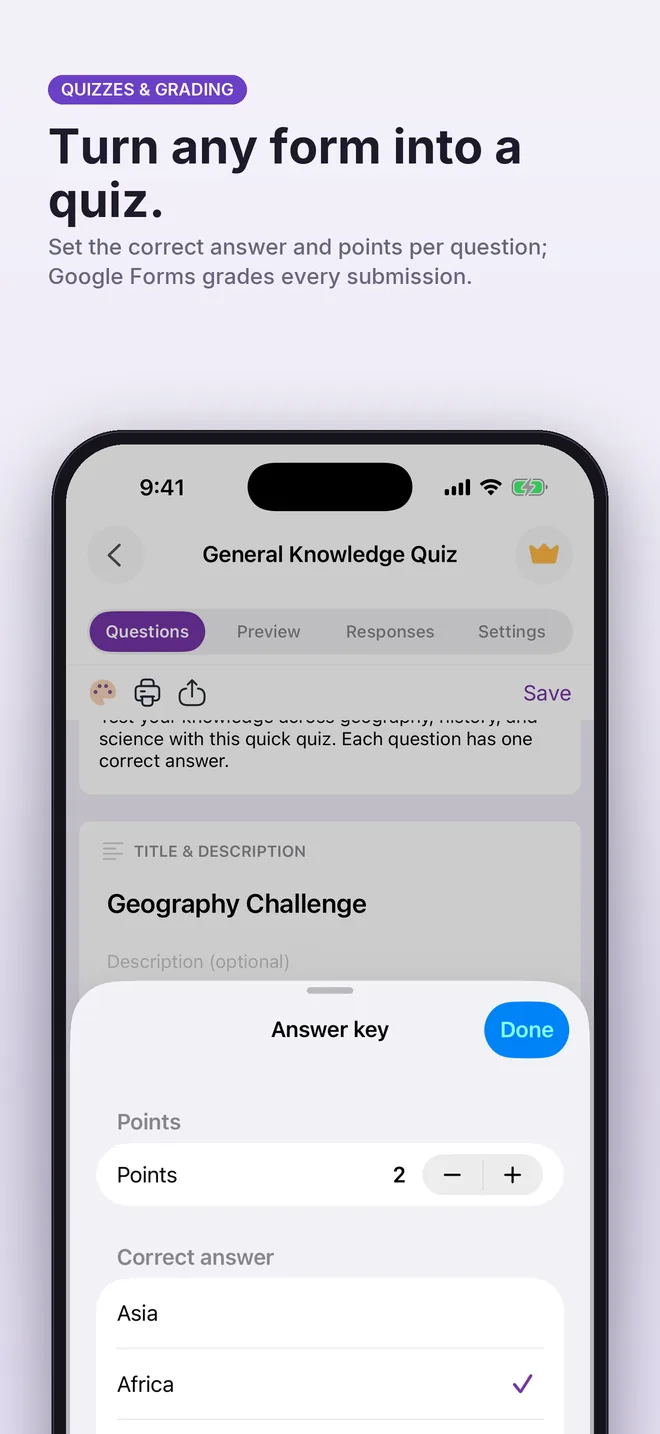
Turn any form into a quiz.
Set the correct answer and points per question; Google Forms grades every submission.
Responses
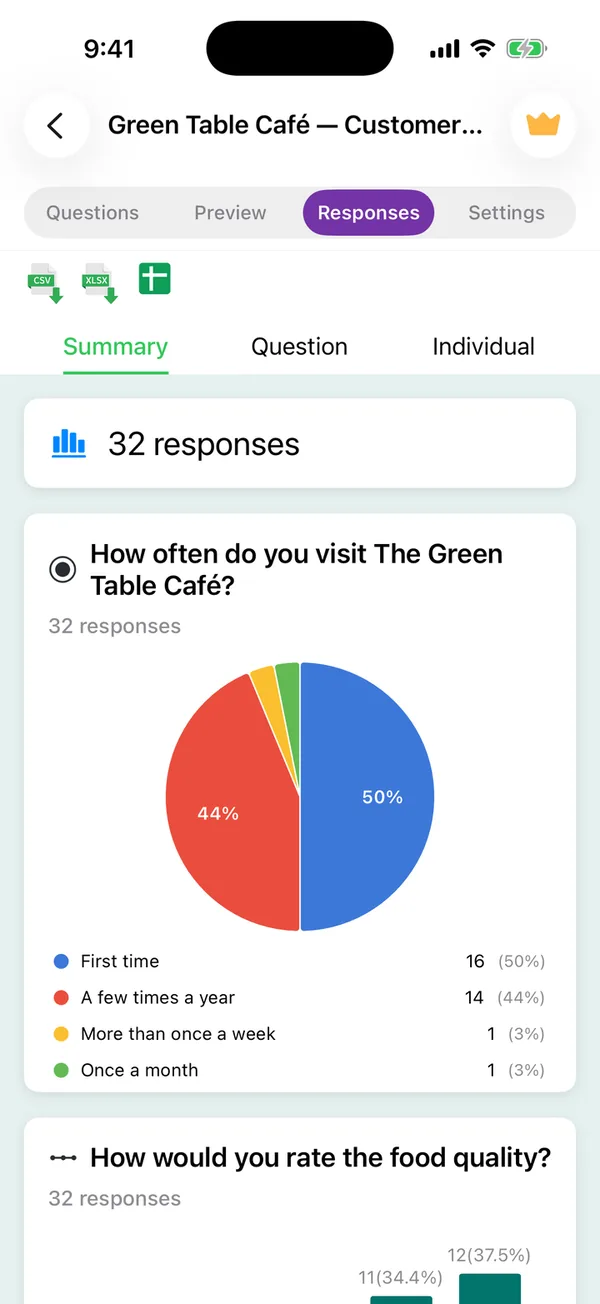
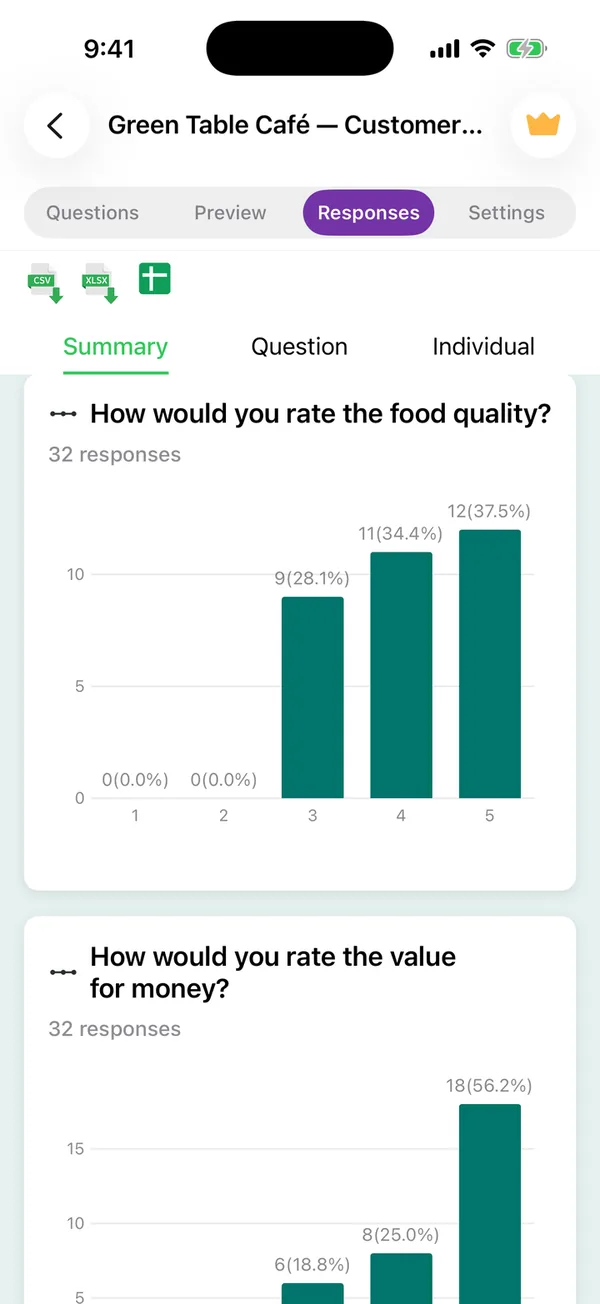
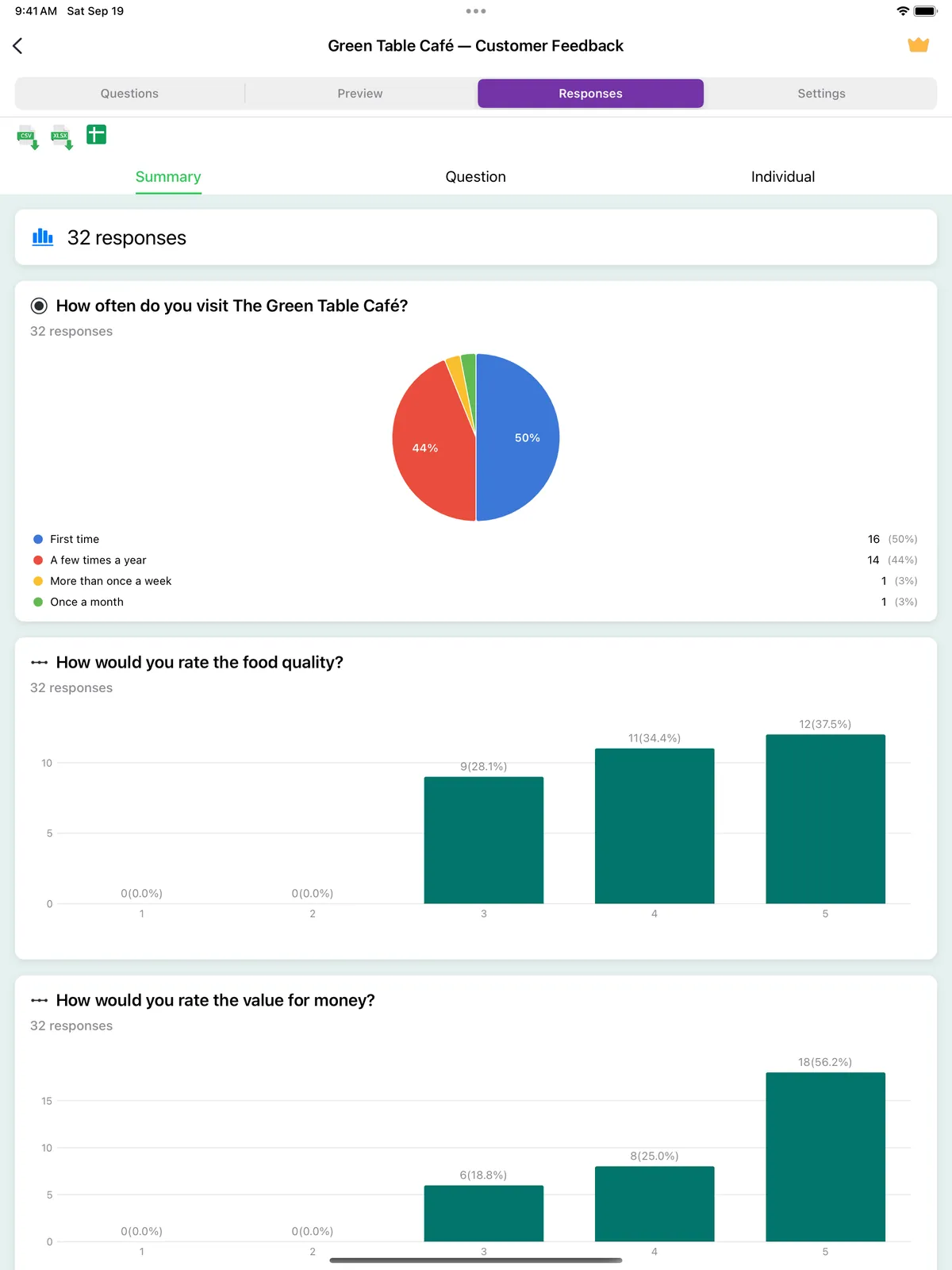
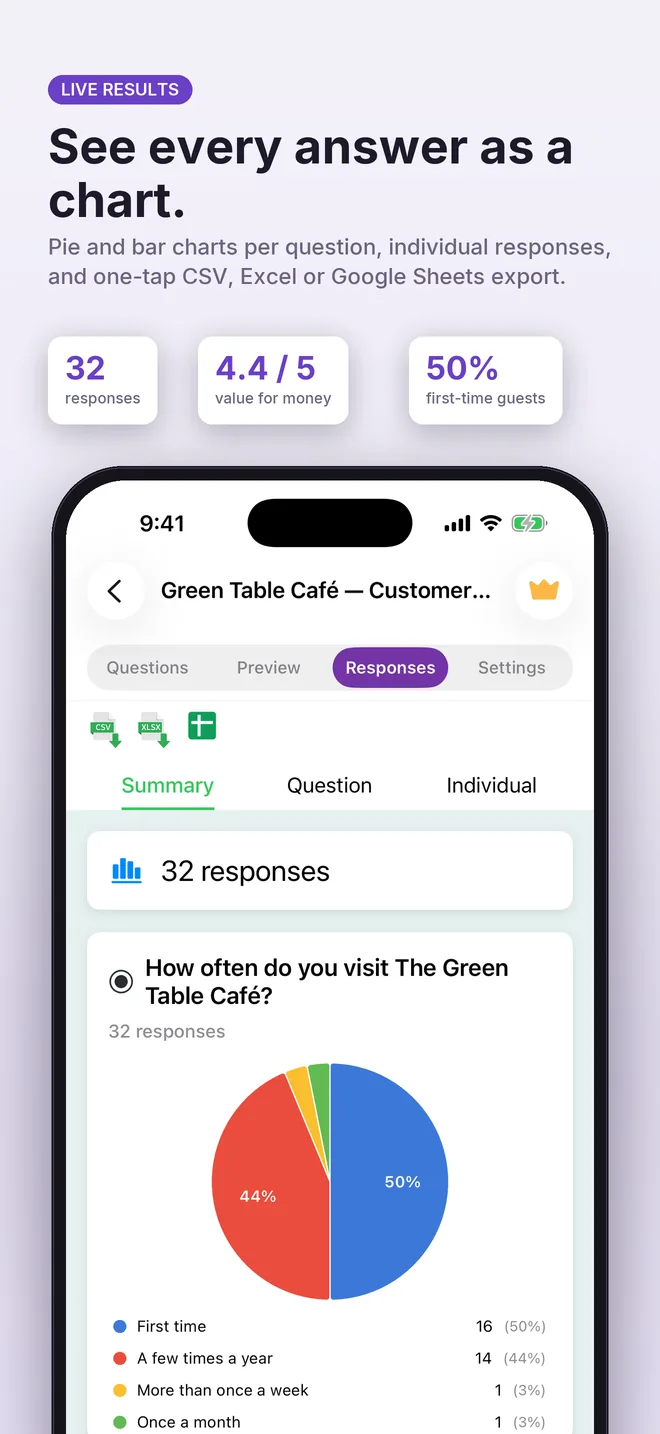
See every answer as a chart.
Pie and bar charts per question, individual responses, CSV, Excel and Google Sheets export, and automatic closing after a number of answers or on a date.
Sharing
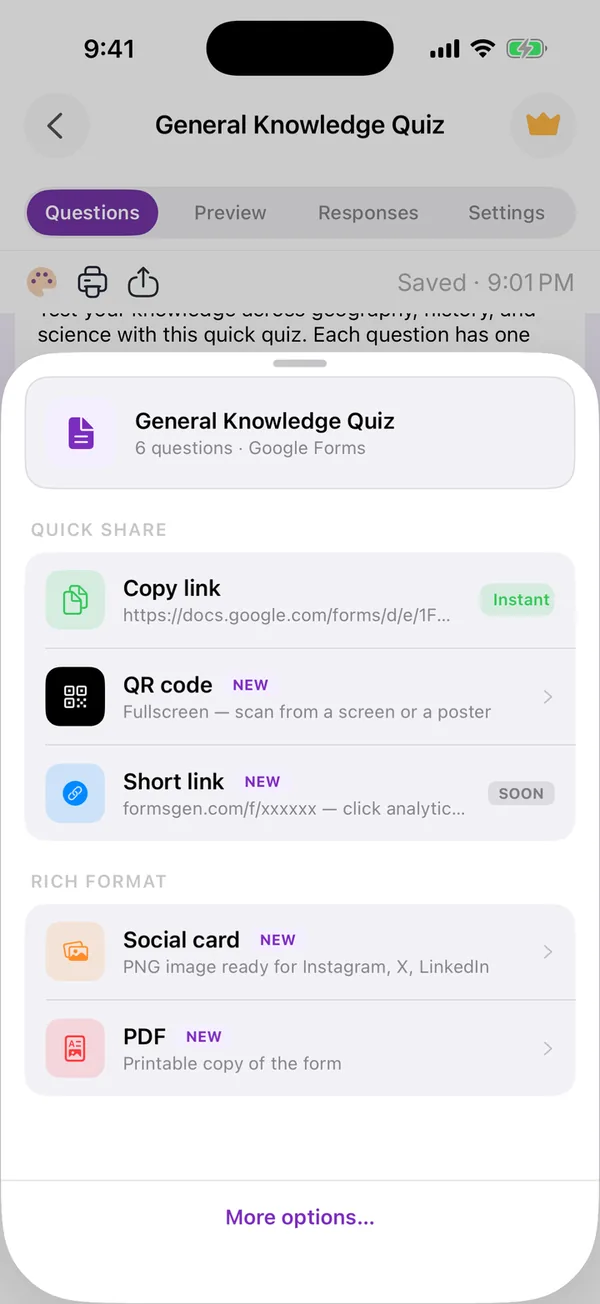
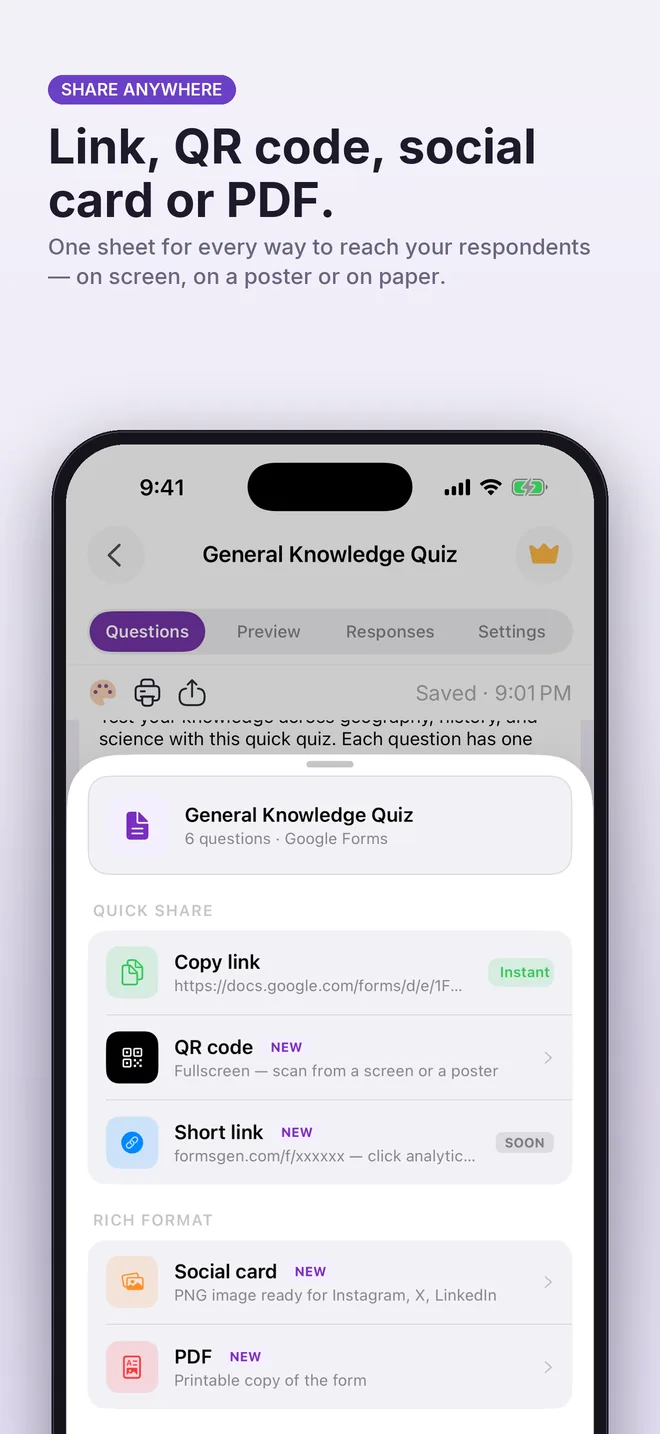
Share anywhere.
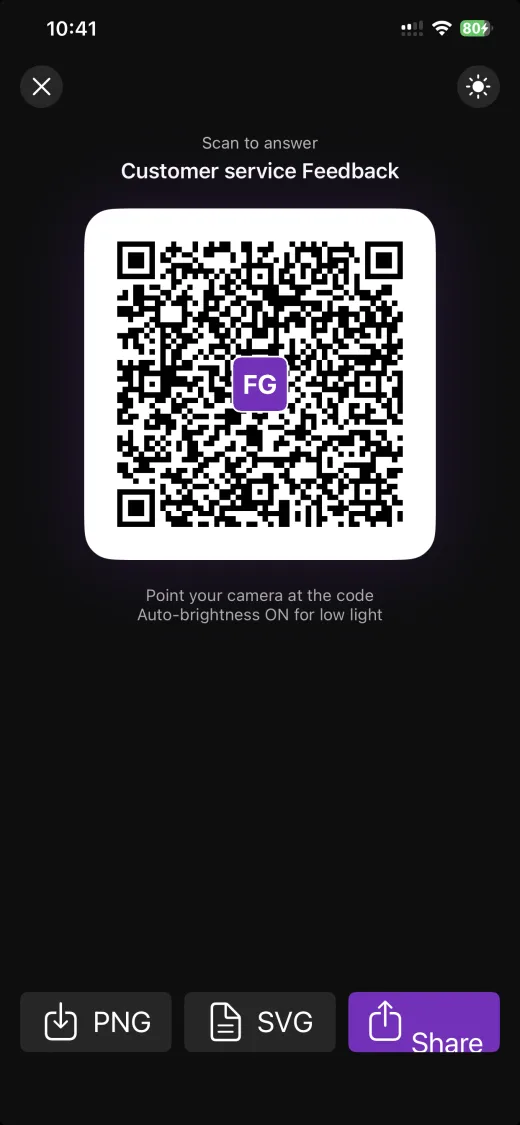
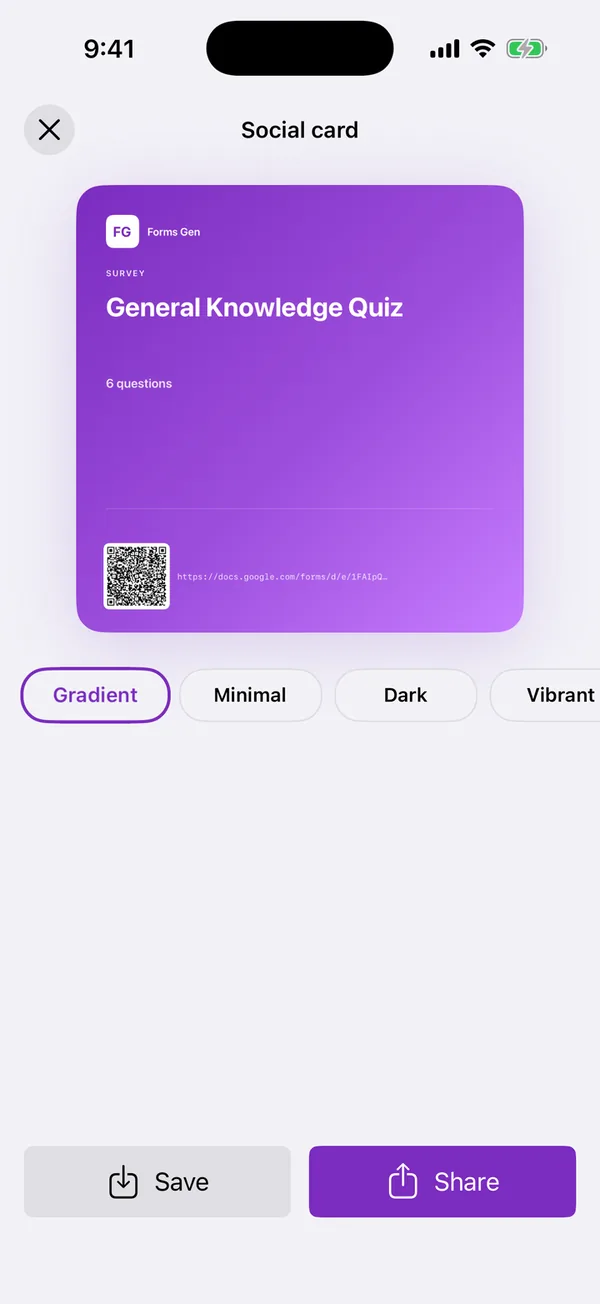
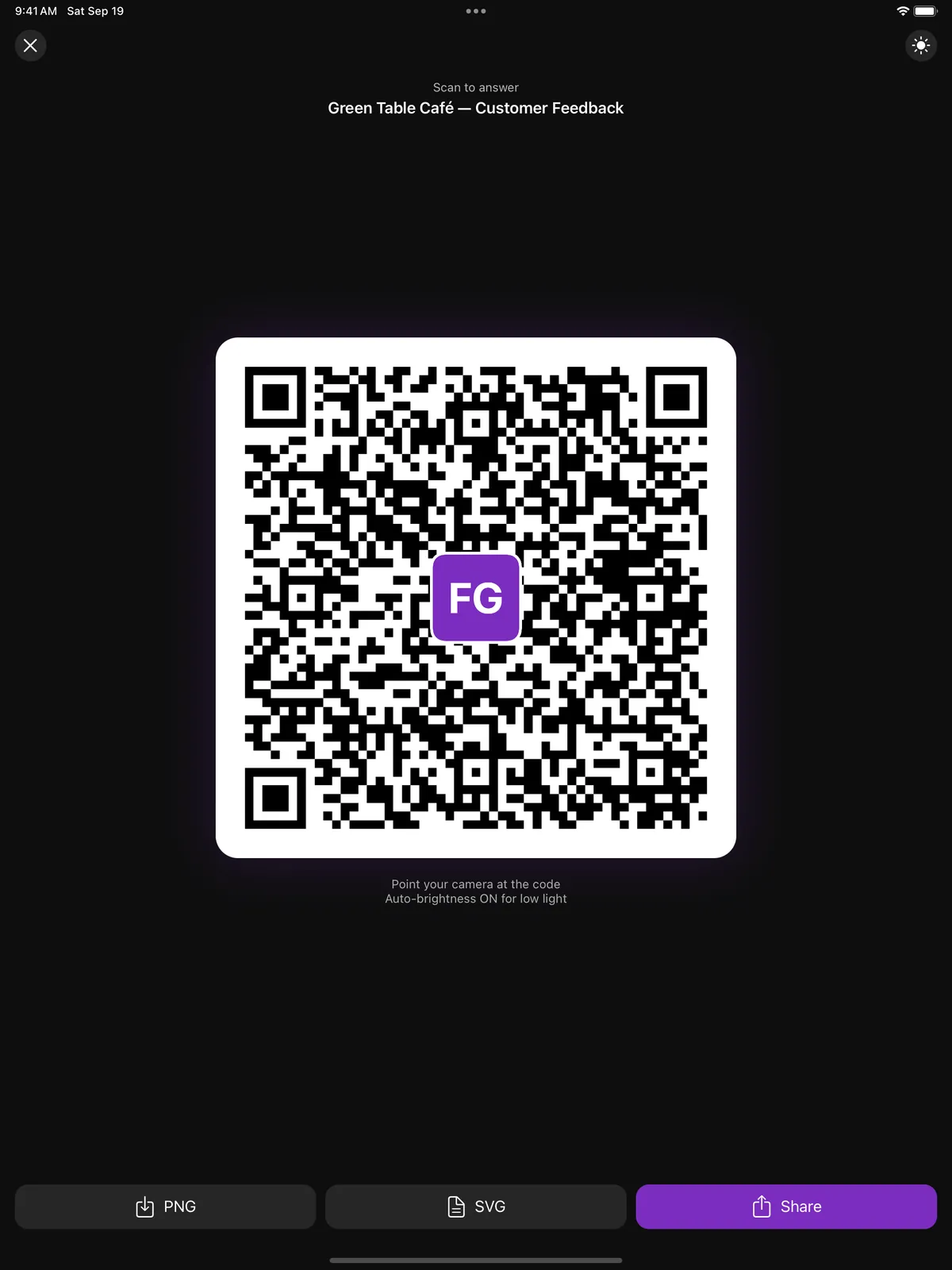
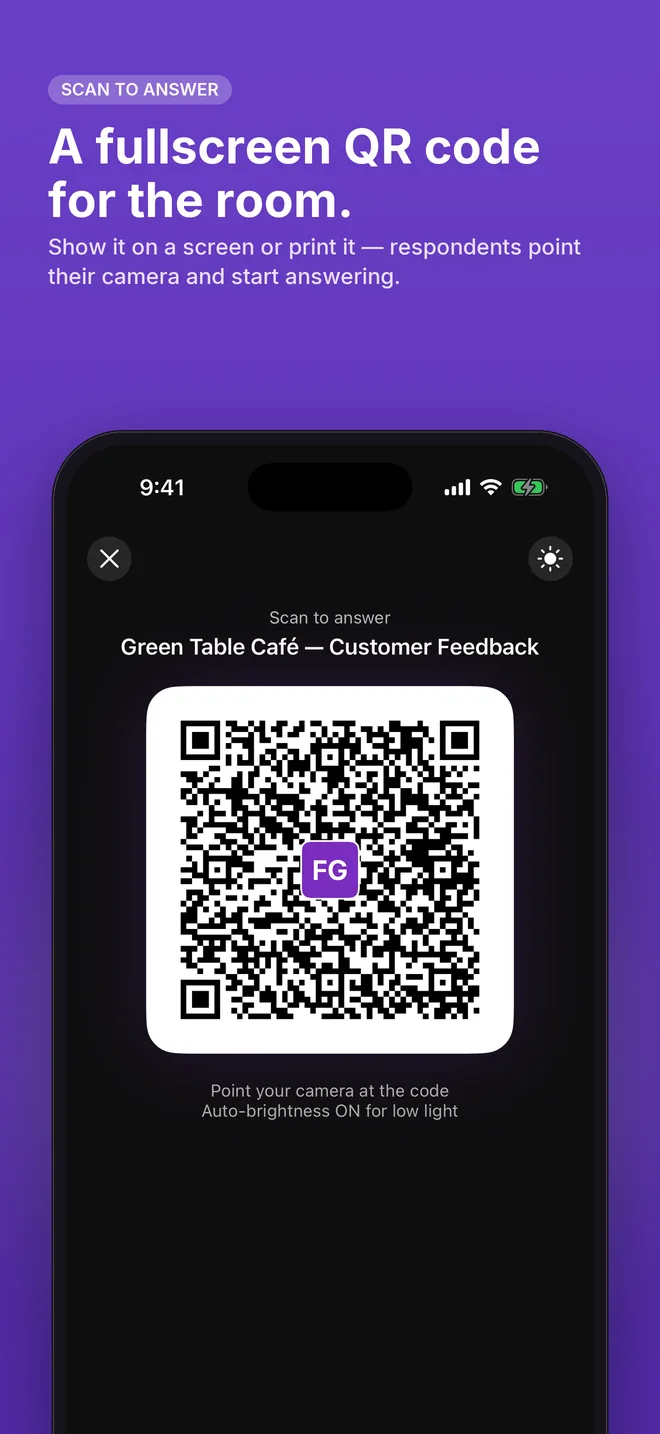
Copy link, fullscreen QR code for a screen or a poster, social card image, printable PDF.
Your forms
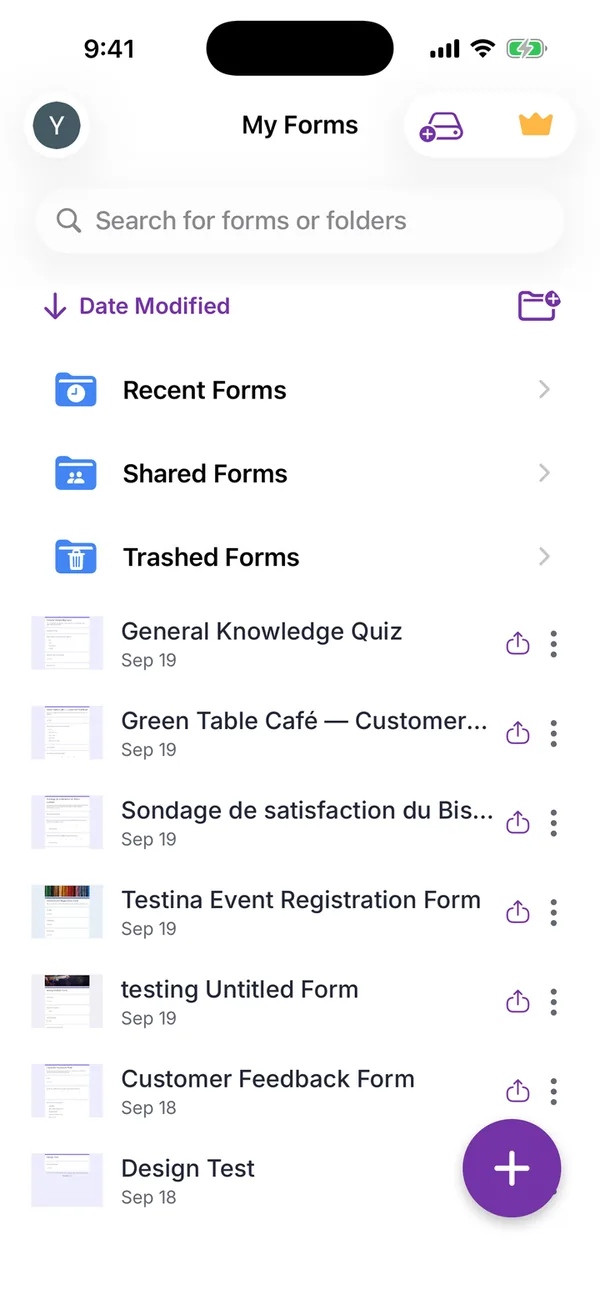
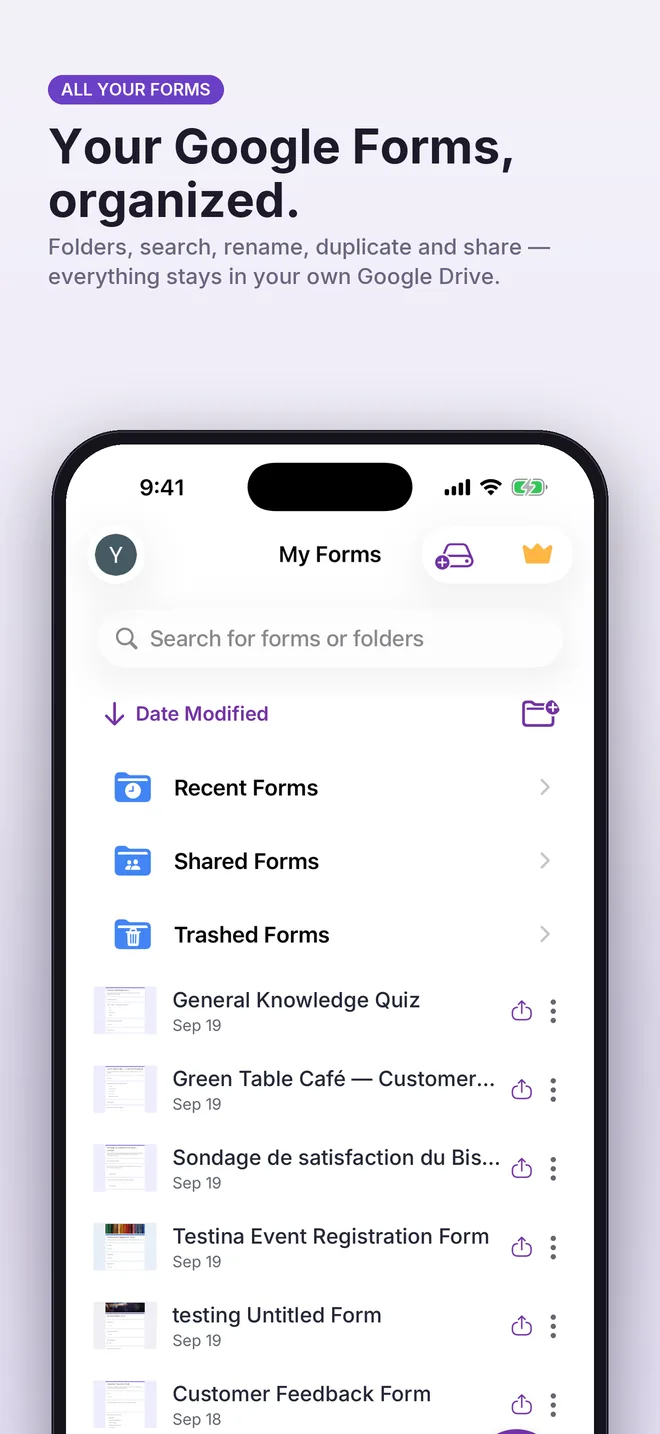
Your Google Forms, organized.
Folders, search, rename, duplicate, move, trash. Your forms stay in your own Google Drive, and you can open any of them from its link.
iPad
Made for iPad too.
Template grid, AI composer and QR code laid out for the larger screen.
Screenshots
The ten screens from the App Store
Your data
Your forms stay in your Google account
Many hosted form builders hold your questions and your respondents’ answers on their own servers, and hand you an export if you ever leave. FormsGen does not: the form is created directly in your Google Drive, and the responses collect in your Google account. Scanning runs on your device, so photos of paper questionnaires never leave it.
Two things do leave the phone. The description you type in Create with AI is sent to Google’s Gemini API, which writes the questions. And the app keeps your account and subscription status, with usage and crash reports, so that purchases work and bugs get fixed.
If this app disappeared tomorrow, you would lose the app. You would not lose a single form or a single response. Read the privacy policy.
What’s new
Version 2.0
September 2026. A big update, built around your Google Forms.
- Create with AI, redesigned: describe, choose type, length, tone and language, review the questions, regenerate or use.
- Paper questionnaire scanner, with on-device text recognition.
- Quizzes with answer keys and points; automatic grading by Google Forms.
- Automatic closing after a number of responses or on a date.
- Design panel: fonts, sizes, colours, header image, with preview.
- Share sheet: link, fullscreen QR code, social card, PDF.
- Tabbed editor (Questions, Preview, Responses, Settings), images and descriptions on questions and options, sections, undo.
- Response charts, individual answers, CSV, Excel and Google Sheets export.
- Folders, search, rename, duplicate, move, trash; open any of your forms from its link.
- iPad layouts.
Before you download
Four things worth knowing
Better to read them now than to discover them after paying.
It only runs on Apple devices
iPhone and iPad (iOS 15.6 or later), Macs with Apple silicon and Apple Vision Pro. No Android app, no web app. If your team is on Android, this is not the tool for you.
You need a Google account
And you have to grant the app permission to create files in your Drive. Without that, there is nowhere for a Google Form to be created.
Scanning gives you a first draft
A clean printed page scans well. A dense two-column form, a photocopy of a photocopy, or handwriting will need editing afterwards. The app saves you the typing, not the proofreading.
Answers go to Google, as they always did
Keeping your data out of our hands does not take it out of Google’s. A Google Form is governed by Google’s terms, whoever created it.
Price
Free to build and share
Creating and editing forms costs nothing, and there are no ads. Premium adds the AI, the premium templates and unlimited QR codes, social cards and PDFs. The weekly and yearly plans start with a 3-day free trial. The prices: $5.99 a week, $49.99 a year, or $89.99 once, in US App Store prices; local prices may vary by country or region.
Step by step
Three guides, one screenshot per step
Create a form with AI
From the New Form screen to a Google Form in your Drive: the composer, the preview, the editor, the answer key.
Publish and share it
The settings to check, then the link, the fullscreen QR code, the social card and the PDF, and which to use when.
Read the responses
Summary charts, one question or one person at a time, the three exports, and closing the form on its own.
Before you decide
Compared with the browser
Where the free version of Google Forms on an iPhone is the better choice, honestly.
Compared with Pipiform
What each app does, what each costs, and when to buy theirs instead.
Ready-made templates
Question sets for surveys, quizzes, registrations and orders, listed in full before you use them.
Free tools
A QR code generator and step-by-step guides, none of which need the app.
Questions people ask
- Do I need a Google account?
- Yes. The app creates real Google Forms in your own Google Drive, and it only asks for access to the forms it creates or that you open in it. Without a Google account there is nowhere for a Google Form to exist.
- Where are my forms and answers stored?
- In your own Google account, from the moment they are created: the forms in your Google Drive, the responses in Google Forms. No form or response data is stored on our servers. Account, subscription, analytics and diagnostic data are handled as described in the privacy policy. Uninstall the app and every form you built is still there.
- Does the scanner upload my photos?
- No. Text recognition runs on the device, using Apple’s Vision framework. The photograph never leaves your phone; only the questions you choose to keep become a form in your Google account.
- What does the AI receive?
- Only the text you type in the AI screen and the options you pick: form type, number of questions, language and tone. It is sent to Google’s Generative Language API to write the questions and is not linked to your account. The questions are shown to you before any form is created.
- How good is the AI, really?
- It is good at the part that is tedious and predictable: turning “registration form for a Saturday workshop, with dietary requirements” into eight questions of the right type. It is not a substitute for knowing what you want to ask. You review the result before it goes anywhere, and regenerating or editing a question takes seconds.
- Is it free?
- Creating and editing forms, quizzes, themes, scan and responses are free, with no ads. Premium, weekly, yearly or lifetime, adds creating forms with AI, AI analysis of responses, premium templates and unlimited QR codes, social cards and PDFs. The weekly and yearly plans start with a 3-day free trial.
- Is this Google’s official app?
- No. Google does not publish a Google Forms app for iPhone or iPad. FormsGen is an independent app that connects to your Google account and creates forms there on your behalf. It is not affiliated with or endorsed by Google.
- Do the people answering need the app?
- No. Respondents open an ordinary Google Forms link in any browser, on any device. No install, no account, no sign-up.
- Which languages?
- The app is in English, French and Arabic. AI generation works in many more: the questions are written in the language you pick, not translated afterwards.
- Which devices does it run on?
- iPhone and iPad on iOS 15.6 or later, Macs with Apple silicon, and Apple Vision Pro, all from the App Store. There is no Android version and no version that runs in a browser.
Your next form is one sentence away
Free to build and share. Three days to try the rest. iPhone and iPad.