
Is There a Google Forms App for iPhone?
Yassine Jaa Published Updated 5 minute read
No. As of September 2026, Google does not publish a Google Forms app for iPhone or iPad, and it never has.
That is worth saying in the first line, because a surprising number of pages answering this question take four hundred words to get there.
Google publishes plenty of iOS apps. Forms is not one of them
Docs, Sheets, Slides, Drive, Keep, Classroom, Gmail, Chat: all of them have an iPhone app, maintained and updated. Of the four Workspace editors, three have one and Forms does not. Google has never publicly explained the omission, and after a decade it is reasonable to stop waiting.
What you get instead is the web version, which does work on a phone. The question is how well.
What actually happens in mobile Safari
Open forms.google.com on an iPhone and you get the real editor, not a cut-down version. You can add a question, change its type, reword an answer option, and watch responses arrive.
For small jobs it is genuinely fine. Fixing a typo someone spotted five minutes before the session starts, checking how many people have replied, closing the form once the room is full: all of that takes seconds on a phone, and installing anything to do it would be silly.
Building a form from scratch is a different experience. The editing panel that sits comfortably beside a laptop screen has to go somewhere on a display 390 pixels wide, and where it goes is on top of the thing you were editing. Reordering questions means dragging a handle roughly the size of a grain of rice. The question type menu is a ten-item dropdown that covers the question you are trying to classify while you choose.
Nothing here is broken. It is slow, and it is slow in the particular way that makes you stop after four questions and decide to finish it later on a laptop. Which is how forms end up never existing.
Request Desktop Site helps more than it should
Tap the aA icon in Safari’s address bar and choose Request Desktop Website. The editor switches to its full layout, everything shrinks, and you are pinching and panning around a laptop interface.
It sounds worse and it is frequently better, because the side panel stops covering your work and the drag handles land where you expect. On an iPad it is not a workaround at all; it is simply the right way to use Google Forms.
What people actually do
Four approaches, and each of them is the right answer for somebody.
Use mobile Safari as it comes. Free, official, nothing to install, and no third party gets access to your Google account. Best for checking and editing. Frustrating for building.
Switch to the desktop site. Same as above with fewer layout problems, at the cost of pinching. The obvious first thing to try before installing anything.
Install a third-party app. There are dozens on the App Store, many of them called some arrangement of the words “Forms”, “for” and “Google”. Quality varies enormously, and a good number are a web view of the same page you would have opened in Safari, wrapped in an icon. Two things tell them apart before you pay: look for screenshots that show something the mobile web cannot do, and look for a feature that only makes sense on a phone. An app whose screenshots look exactly like Safari is Safari.
Build on a laptop, run from the phone. Unglamorous and often correct. Composing questions is a keyboard job; sharing the link, printing the QR code and watching answers come in are phone jobs. Plenty of people never need anything more than this.
Where our app fits, and where it does not
We publish one of those third-party apps, so read the next two paragraphs with that in mind.
FormsGen exists for the case the browser handles worst: creating a form from nothing while away from a desk. You describe it in a sentence and the app writes the questions into your Google Drive, or you photograph a paper questionnaire and it rebuilds it as a Google Form, with the text recognition running on the device rather than on a server. It shares by QR code without you pasting a link anywhere. Those are things mobile Safari cannot do, which is the test we just asked you to apply to everyone else.
It is also an Apple-only app, it needs permission to write to your Google Drive, and it does not export to Excel, PDF or Docs. If what you need is to tidy up an existing form on the bus, Safari does that for free and you should use Safari. The side-by-side version of this argument is in FormsGen vs Google Forms in Safari, and there is a comparison with Pipiform, another third-party app, if you are choosing between apps.
So which should you use
If you edit forms occasionally and build them rarely, stay in the browser and request the desktop site when it gets awkward. You do not have a problem worth installing anything for.
If you regularly need a form to exist while you are standing in a classroom, a stockroom or a stand at a trade fair, the browser is the wrong tool and it will keep being the wrong tool. That is the gap an app fills.
And if you are waiting for Google to release an official one: it has been ten years. Plan around its absence.
Build the form on the device you already have
Keep reading
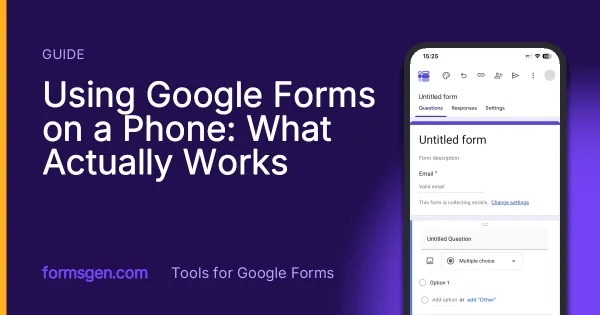
Using Google Forms on a Phone: What Actually Works
I built, published and read a Google Form from an iPhone in Safari, screen by screen. What the mobile editor does well, the two things it does badly, and where an app changes the arithmetic.
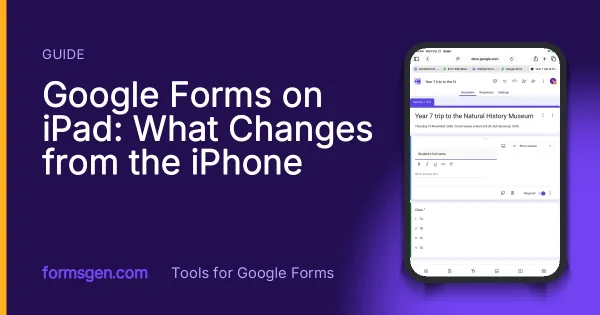
Google Forms on iPad: What Changes from the iPhone
Safari on an iPad opens the full Google Forms editor, except on an iPad mini held upright. What works with a finger, Forms and Sheets side by side, and how to run a sign-up stand on one iPad. Tested on 21 October 2026.
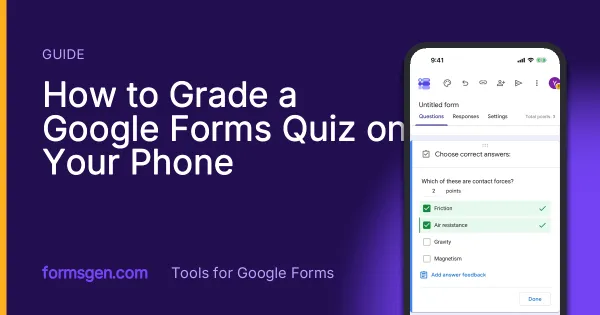
How to Grade a Google Forms Quiz on Your Phone
Grade a Google Forms quiz on an iPhone: what is marked for you, the short-answer trap, marking written answers in the Question view, and releasing scores. Tested on 21 October 2026.
Tools for this task
AI Quiz Generator for Google Forms
Describe a topic and the app writes the quiz questions as a real Google Form. You set the answer key in the app, then share it.
In the appAI Survey Generator for Google Forms
Describe your survey in a sentence and get a real Google Form with the questions written and the scales set. You review it first.
In the appTurn a Paper Form into a Google Form
Photograph a printed questionnaire and get a real Google Form in your Drive. The page is read on your device, never uploaded.