
Event Feedback Form
A conference organiser with five minutes left before the room empties
Eight questions, short enough to be answered in the last five minutes of an event rather than ignored in an email on Monday.
8 questions: 3 multiple choice questions, 2 short answers, 1 grid, 1 linear scale, 1 paragraph.
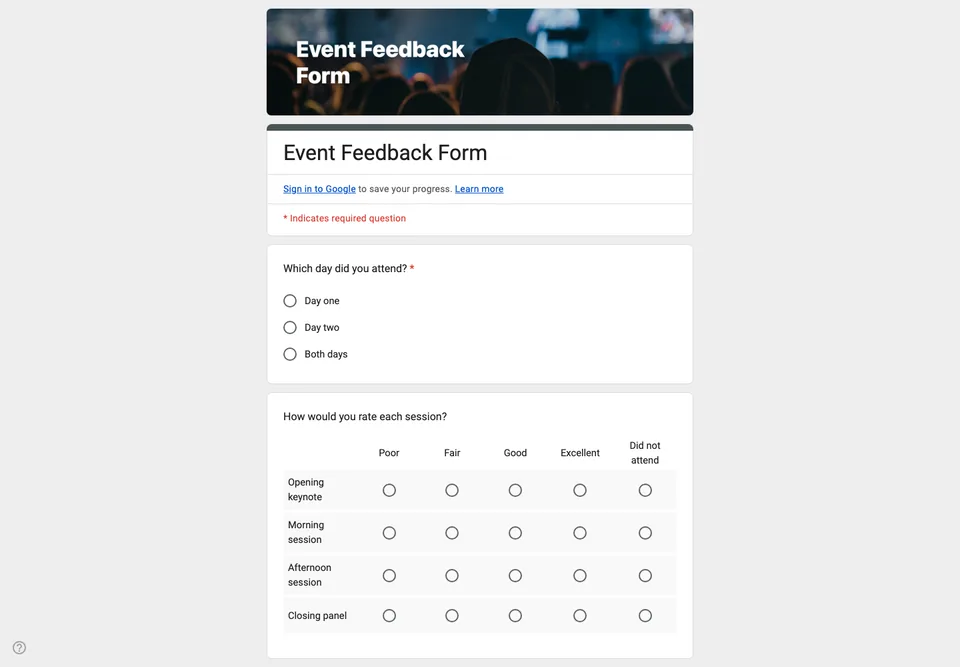
Feedback collected after everyone has gone home is feedback from the few who felt strongly enough to open an email on a Monday. Put the form on screen in the last five minutes, while people are still in their seats, and more of them answer; you hear from the room rather than from its extremes.
So this form is short on purpose. Eight questions, none of them mandatory except the first, and no question that asks people to remember something from three days ago.
Why these questions
The session ratings come as a grid rather than eight separate questions, because a grid is one screen on a phone and eight questions is eight screens. The “what would have made this better” question is deliberately phrased in the past conditional: it gets more useful answers than “do you have any suggestions”, which mostly gets “no”.
The question about whether they would come again is the one that predicts next year’s ticket sales, so it goes before the open text field, while attention is still there.
Getting people to fill it in
Put the QR code on the closing slide and leave it up while you thank the speakers. Say out loud that it takes ninety seconds, because people assume any form is five minutes and decide accordingly.
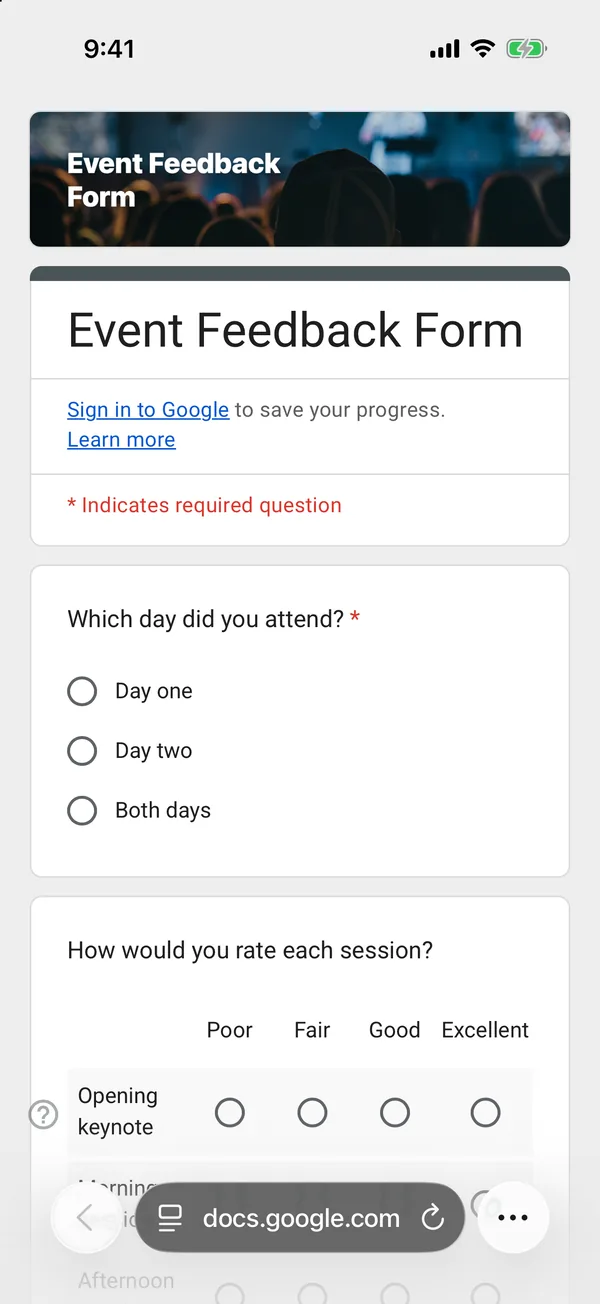
The copy goes into your own Google Drive, ready to edit. You need to be signed in to Google.
Describe it in the app and these questions are created in your own Google Drive. Change anything you like before you send it.
Other templates
Customer Satisfaction Survey
Nine questions built around what someone did and what they would change, rather than a score you cannot act on.
Event Registration Form
Nine questions covering a headcount, dietary and access requirements, and nothing that would cost you a sign-up.
Classroom Quiz
Ten questions for an end-of-lesson recap, with the steps to make Google Forms mark eight of them for you.
Order Form
Nine questions that turn twenty direct messages into twenty spreadsheet rows, with a quantity field per product.