Posting event photos without asking is how a happy festival turns into a complaint the following week. A photo release form records, person by person, what each one agreed to.
Consent per use, not all or nothing
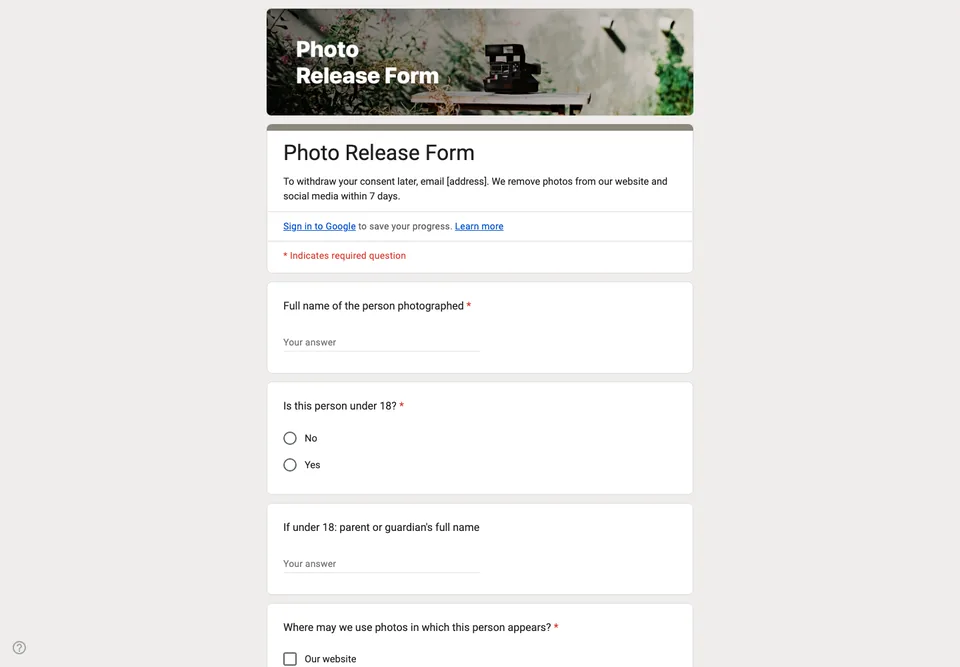
Someone may be happy to appear on your website and not on social media, or in a printed newsletter and nowhere online. The uses are checkboxes, one per channel, and people tick what they accept. “No photos of me” is an option too, and you need to know who chose it before the photographer starts.
Children
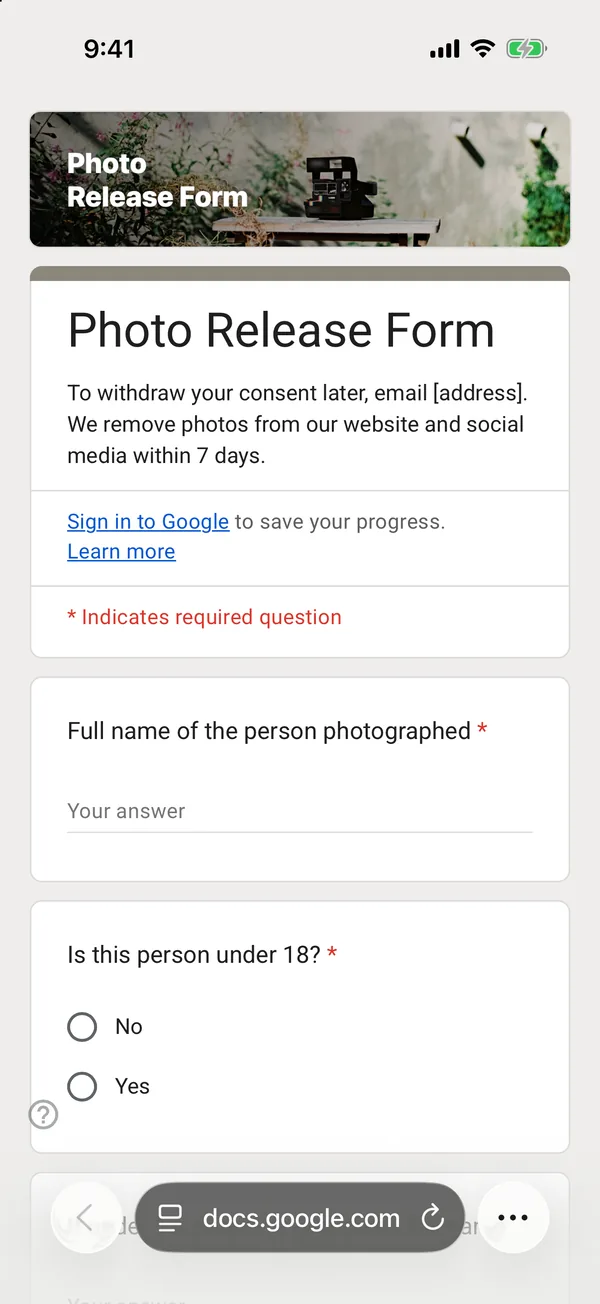
For anyone under 18, the person answering must be a parent or guardian, and the form asks for their name. Many organisations go further and never publish children’s names alongside photos; say so in the description if that is your rule.
Withdrawing consent
The description says how to withdraw consent later, with an email address, and what happens then: you remove the photo from places you control. Consent that cannot be withdrawn is not really consent.
Turn on email collection or ask for an email, so you can find a person’s answer when they write to you. Keep the sheet as long as the photos are published.